
CharacterHub: OCs, Art, Lore
CharacterHubArt & Design
4.711.00 Reviews
- Version
- 1.296
- Installs
- 10.00K
- Age Rating
- Teen
Screenshots
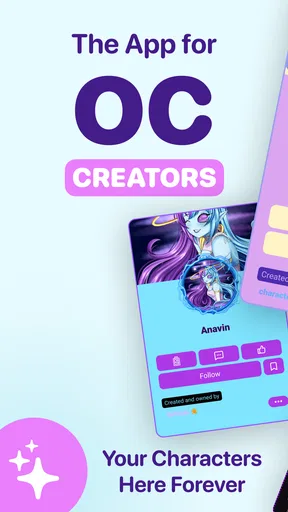
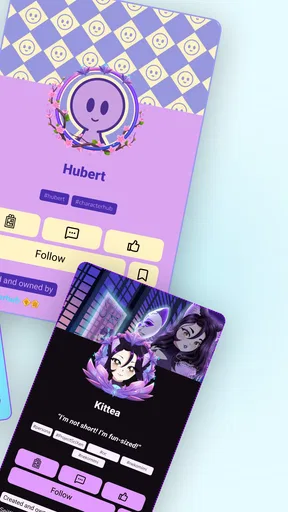
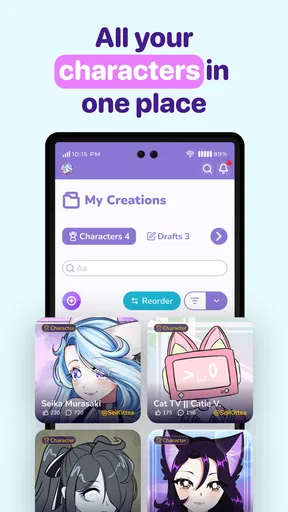
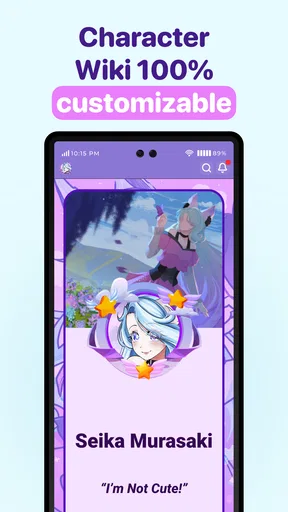
Our Review of CharacterHub: OCs, Art, Lore
 Analysis by Appyee
I spent my time with CharacterHub: OCs, Art, Lore as an art-and-design app built around one particularly useful idea: giving original characters a home instead of leaving their drawings, notes, and story fragments scattered across separate tools. That focus makes it feel different from a general sketching app. I would not open it expecting a full replacement for a professional illustration program; I would open it when I want to keep a character’s visual identity and background together in a way that is easy to revisit and share.
The app comes from CharacterHub and is free to install, with optional in-app purchases ranging from $0.99 to $199.99 per item. It is marked for Teen users, requires Android 8.0 or later, and the current version is 1.296. Its average rating is 4.7 from around 68 ratings, while the app has passed 10K installs. Those figures suggest a developing community rather than a massive social network, which matters if you are choosing it mainly for discovery and interaction.
Why keeping an original character in one place matters
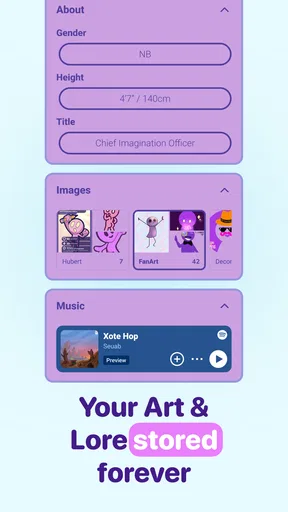
The strongest capability here is not simply saving an image. It is the attempt to connect an original character’s artwork with the information that makes that character meaningful: identity, personality, history, relationships, and other lore. In my experience, that changes how I work. A character stops being just a finished drawing and becomes a reference point I can continue building.
That distinction is important for artists who create original characters, commonly called OCs. A drawing app is excellent for making the portrait, but it usually treats the finished image as the end of the process. A notes app can hold the backstory, but it does not give the character a visual presence. A cloud folder can store everything, yet it rarely helps me understand which sketch belongs to which version of a character. This app is aimed at the space between those tools.
I found that approach especially appealing for characters that change over time. A redesign, alternate outfit, relationship update, or new piece of worldbuilding can be connected to the same creative project instead of becoming another isolated file. Even when I am not actively drawing, I can still develop the character by refining the written side of the concept.
The real benefit is continuity: the app encourages me to treat character creation as an ongoing collection of decisions rather than a series of unrelated illustrations. That is a subtle difference, but it can make a personal project easier to maintain.
What the app is best at conceptually
I see this as a character portfolio and lore workspace first, not as a drawing studio. The title points toward three connected areas: original characters, art, and lore. That combination gives the app a clear identity, especially for people who write stories, design comics, build role-playing settings, or simply enjoy developing fictional personalities in detail.
It also makes sense for users who want to show more than a polished image. A character sheet can communicate appearance, but a collection that includes motivations, history, and relationships can communicate why the character matters. That extra context is useful when sharing with friends or collaborating on a creative project.
There is a practical psychological advantage too. When all the material is associated with the character, it becomes easier to return after a break. I do not have to remember which folder contains the reference image or which note includes the latest personality change. The app’s central concept reduces that mental overhead, provided I take a little time to organize my material consistently.
How I would use it in a real creative workflow
I would begin with one character rather than importing an entire universe at once. Starting small makes it easier to decide what information deserves attention. I would add the main visual reference, then write the details that affect how the character behaves: goals, fears, habits, important relationships, and the events that shaped them.
After that, I would treat the character as a living reference page. When I create a new illustration, I would place it alongside the existing material and label it mentally as part of the character’s development. I would also keep alternate designs separate in my own workflow, so an old outfit does not become confused with the current one.
This is one of the less obvious ways to get value from the app: use it as a decision log. If I cannot remember why a character has a particular accessory, scar, color scheme, or personality trait, the surrounding lore can preserve that reasoning. That is more useful than merely collecting attractive images because it helps maintain consistency during future writing or drawing.
For a comic or illustrated story, I would use the app before opening my main art software. It can act as a quick reference stop: check the character’s design, review their motivations, and remind myself how they relate to the scene I am planning. The final drawing can still happen elsewhere, but the creative direction remains anchored in one place.
For collaborative work, I would prepare a concise version of each character rather than sharing every thought. A useful profile should answer the questions another person needs immediately: what the character looks like, what they want, what they are like under pressure, and which relationships influence them. This keeps the character page readable and prevents lore from becoming a wall of disconnected detail.
A useful routine for avoiding character clutter
My recommendation is to separate stable facts from experimental ideas. Stable facts are details I expect to remain part of the character, while experimental ideas are possible redesigns, unused concepts, or story directions I have not committed to. Keeping that distinction clear prevents a casual note from being mistaken for established canon.
I would also review older material before adding a major update. This small habit catches contradictions early. If the character’s age, role, motivation, or relationship has changed, I can adjust the surrounding description rather than allowing several versions to compete for attention.
Another practical tip is to write lore for retrieval, not just for self-expression. Short headings, direct wording, and specific references make a profile more useful when I am in the middle of drawing or writing. Beautiful prose has its place, but a clear reminder is faster when I need to confirm a design detail.
That workflow reveals both the strength and the responsibility of the app. It can centralize a character’s identity, but it cannot automatically make an inconsistent collection coherent. The quality of the result depends on how deliberately I maintain it.
The everyday scenario where it makes the most sense
Imagine I am developing a character for a short comic. On Monday, I sketch the character in ordinary clothes. Later in the week, I decide the character has a history as a traveling mechanic and needs tools, worn clothing, and a more guarded personality. By the weekend, I have written a scene involving a sibling and drawn a second expression sheet.
Without a character-focused workspace, those pieces can easily end up in a drawing folder, a notes application, and a messaging thread with a friend. When I return to the project, I have to reconstruct the character from memory. With CharacterHub, the intended workflow is more natural: the art and the lore belong to the same creative subject.
That is where I think the app earns its place. It is not necessarily saving me from difficult drawing work; it is saving me from losing the thread between ideas. For a project that develops over several days or weeks, that continuity can be more valuable than another collection of brushes or editing controls.
The same scenario works for role-playing characters. I could use the profile as a reminder before a session, keeping the character’s voice and motivations visible instead of relying on a long document. Writers may also benefit when a character’s backstory affects later scenes, because the visual reference and narrative information can be considered together.
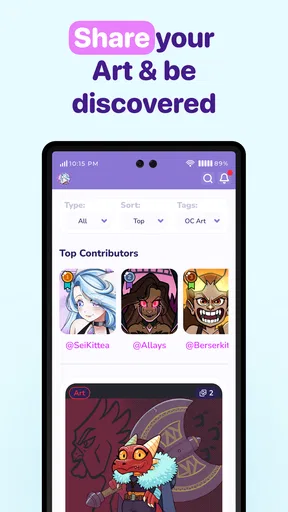
There is a social side to this use case as well. If I share a character with a friend, the person viewing it can understand more than the surface design. A strong visual can attract attention, but context gives the viewer a reason to remember the character. That makes the app more suitable for presentation than a private folder of unnamed image files.
Where ordinary alternatives still win
A dedicated drawing app remains the better choice when the main task is painting, line work, layers, masking, color correction, or detailed export control. CharacterHub’s value is in organizing the character concept, not in replacing a specialized art tool. I would happily use both: one for making the image and this app for keeping the character’s wider identity together.
A notes app may be better for a large novel bible or a complex research archive. It usually offers flexible formatting and broad writing tools, while a character-centered app can feel more focused. If my project contains extensive timelines, location records, and unrelated worldbuilding, I might keep the master document elsewhere and use CharacterHub for the people at the center of the story.
A generic cloud drive is still useful for backups and file management. It gives me control over folders and makes it easy to move files between projects. The trade-off is that a folder structure requires me to design the system myself. CharacterHub is more appealing when I want the character to remain the organizing principle rather than the file type.
Social art platforms can offer a larger audience and faster public feedback, but they are often organized around individual posts. That is convenient for showing a new illustration, less so for presenting a character’s complete evolution. I would choose a broad art community when reach is my priority and this app when the character archive itself is the priority.
Trade-offs I noticed before recommending it
The first trade-off is focus. A focused tool can be easier to understand, but it may feel limited to someone who wants one application to handle every part of an art pipeline. If I expect advanced drawing, animation, editing, or professional asset management, I would look elsewhere rather than forcing this app into the wrong role.
The second is organization effort. Centralizing information is helpful only when I use consistent names and keep outdated ideas under control. A messy character page can become just as confusing as a messy folder. The app gives the concept a home, but I still need to decide what belongs there and how I want to describe it.
The third concerns the purchase model. The app is free, which makes it easy to try without committing money at the start, but optional purchases extend from small items to substantially larger ones. I would explore the free experience first and decide whether the extra spending supports my actual workflow. The presence of purchases is not automatically a problem, but it is worth keeping in mind if I am looking for a completely cost-free long-term tool.
The Teen content rating is another useful signal for families and younger creators. I would still make the decision based on the individual user and the kind of material they plan to create or view, especially because original-character communities can cover many themes. The rating gives a general age boundary, not a substitute for personal judgment.
The community size also shapes expectations. With over 10K installs and a rating count in the dozens, I would not approach the app expecting the same level of activity as a major social network. That can be a weakness if my goal is immediate exposure, but it may be less distracting for someone who mainly wants a personal creative archive with sharing available.
Small habits that make the trade-offs easier
I would keep a backup of important original art outside any single app. That is sensible for any creative project, particularly when the artwork represents months of effort. I would also avoid treating the in-app profile as the only copy of essential writing until I am comfortable with my own organization routine.
I would create a compact “quick reference” section for each important character and keep deeper lore below it. This gives me something useful at a glance while preserving room for detailed storytelling. It is a better compromise than forcing every visitor, collaborator, or future version of myself to read the entire history before finding the basic design notes.
Finally, I would use version language in my own descriptions. Words such as current, retired, alternate, or experimental can prevent confusion when a character has several designs. That is especially valuable for artists who enjoy redesigns and do not want older artwork to be mistaken for the final appearance.
Who will get the most from CharacterHub
I think the best audience is people who care about character development as much as finished art. That includes OC artists, comic creators, writers, role-playing players, and illustrators who repeatedly return to the same cast. The app is most useful when a character has enough history to need more than a filename and enough visual identity to benefit from an image-based home.
It is also a good fit for beginners who feel overwhelmed by building a complicated creative database. The character-first approach gives them a natural starting point: choose a character, add the essential visual and written details, then expand only when the project demands it. That is less intimidating than designing a complete folder system from scratch.
More experienced creators may appreciate it as a lightweight companion to their existing tools. I would not move every professional asset into it automatically, but I could use it as a readable front door to a project. The detailed production files can remain in specialized software while the character’s identity stays easy to understand.
I would be cautious about recommending it to someone who only wants to edit photos, draw with advanced controls, or browse a huge public art feed. Those goals point toward different categories of apps. I would also hesitate if I had no interest in writing lore or organizing character information, because the central advantage would then be less relevant.
For me, the deciding question is simple: do I repeatedly lose track of what makes my characters distinct? If the answer is yes, this app addresses a real problem. If the answer is no because my existing drawing program, notes system, and folders already work perfectly, switching may not add enough value.
My final view after using it as a character workspace
CharacterHub has a clear purpose, and that clarity is its strongest quality. It treats an original character as more than a picture by bringing artwork and lore into the same creative space. I found that especially useful for projects that evolve gradually, where the hardest part is not producing one image but remembering how every design choice connects to the character’s story.
I would recommend trying the free version to anyone building a cast for a comic, game concept, role-playing campaign, or personal art project. Start with one character, keep the profile readable, separate current ideas from experiments, and use specialized art software when you need serious illustration controls. That combination makes the app more practical than expecting it to do everything.
Its limitations are real: organization still requires discipline, a focused character tool cannot replace a full art suite, and the optional purchase range deserves attention. The smaller community may also disappoint users seeking immediate public reach. Even so, those drawbacks do not undermine the central experience.
My honest recommendation is to see it as a structured home for character identity. When I want to remember not only what a character looks like but also why they act, change, and belong in a story, that focus is genuinely helpful. For creators who think in characters first, CharacterHub: OCs, Art, Lore can become a useful bridge between a sketchbook, a lore document, and a shareable portfolio.
Verdict
Strengths of CharacterHub: OCs, Art, Lore
- Excellent space for organizing original characters, stories, and detailed lore.
- Community feedback can help artists develop ideas and improve their creative work.
- Supports varied creative formats, from character profiles to worldbuilding notes.
- Useful discovery tools make it easy to find characters and creators with similar interests.
- Themed communities encourage collaboration, inspiration, and sharing creative concepts.
Limitations of CharacterHub: OCs, Art, Lore
- The large amount of user content can make high-quality profiles difficult to find.
- Some features may feel overwhelming for newcomers unfamiliar with OC communities.
- Public sharing may expose unfinished ideas to unwanted criticism or copying.
- Activity and feedback can vary greatly depending on the size of your audience.
- Content moderation may not catch every inappropriate or low-quality submission immediately.
Similar Picks in This Category
View All
Canva: AI Photo & Video Editor
Canva4.8

PENUP – Drawing-sharing SNS
Samsung Electronics Co., Ltd.4.5

Crafto
Kutumb App4.6

Sketchbook
Sketchbook4.1

ibis Paint X
ibis inc.4.5

Adobe Express: AI Photo, Video
Adobe4.6
Frequently Asked Questions
What is CharacterHub: OCs, Art, Lore used for?
CharacterHub: OCs, Art, Lore is a creative organization and sharing app designed for people who build original characters, fictional worlds, stories, and visual projects. It lets you create detailed character profiles, collect artwork, write background information, develop relationships, and keep lore in one place. It can be useful for writers, artists, roleplayers, game creators, and anyone who wants a structured home for their original creations.
Can I create and customize original character profiles in CharacterHub?
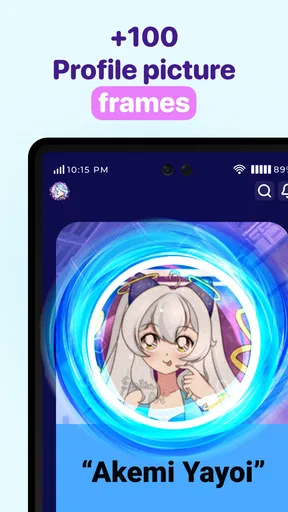
Yes. The app is centered around creating customizable profiles for original characters. Depending on the available tools and your account setup, you can add names, images, descriptions, personality traits, history, abilities, relationships, and other details. This makes it easier to present a character as more than a simple image. Users should still review the available templates and customization options, since some features may vary between free and premium access.
Can I use CharacterHub to organize artwork and fictional lore?
CharacterHub is designed to keep artwork, character information, and worldbuilding material connected rather than scattered across separate notes or social platforms. You can use it to document a character’s development, save visual references, explain important events, and connect people or places within a fictional setting. It is especially helpful for long-term projects, although users should maintain personal backups of important work.
Is CharacterHub: OCs, Art, Lore free to download and use?
The application may be available to download for free, but free access does not necessarily mean that every feature is included without limits. Some tools, storage options, customization choices, or community functions may depend on the current plan or in-app purchases. Before creating a large project, check the official store listing and the app’s own pricing information so you understand possible subscriptions, restrictions, and payment terms.
Is CharacterHub suitable for sharing characters with other users?
CharacterHub can be useful for presenting original characters and creative projects to other people, making it suitable for artists, writers, roleplayers, and online communities. However, users should carefully review visibility and privacy settings before publishing unfinished work, personal information, or commissioned material. It is also important to read the platform’s content and ownership policies, particularly if you plan to share artwork or collaborate with others.
